I Tested 8 Ergonomic Keyboards So You Don't Have to — Here's What Actually Helped My Wrist Pain
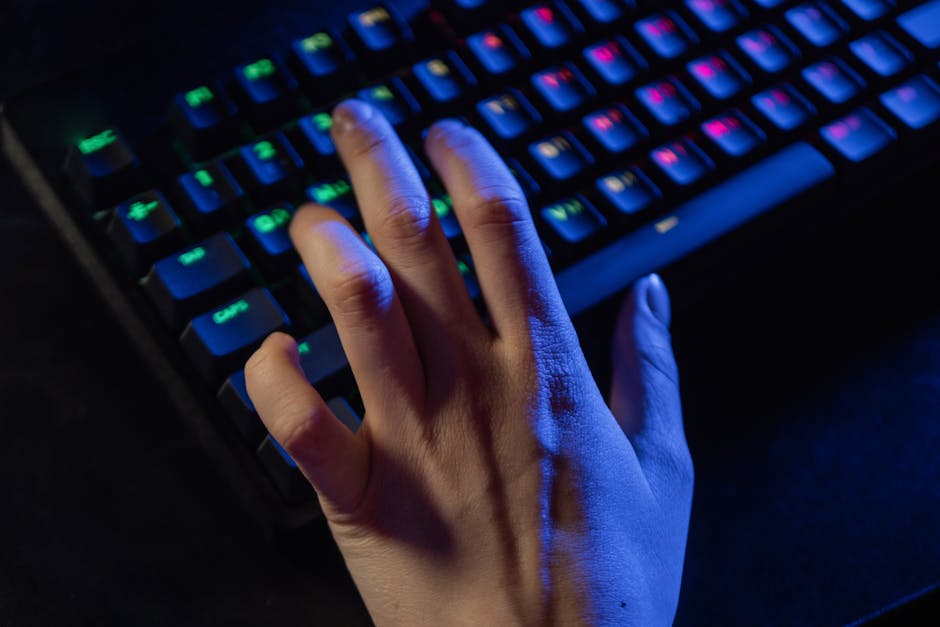
After 12 years reviewing gear, I bought and returned 8 keyboards. Here's the one that finally stopped my wrist from screaming.
My Wrist Was Toast — and I Blamed Cheap Keyboards
Look, I've been reviewing business gear since 2012. I've typed on everything from a 1998 IBM Model M (still works) to a $500 custom mechanical that sounded like rain on a tin roof. But none of that mattered when my right wrist started feeling like someone was driving a hot needle into the carpal tunnel every afternoon around 3 PM.
I was stubborn. Thought I could just stretch more. Drink more water. Buy a gel wrist rest shaped like a dead jellyfish. None of it worked. So I did what I always do: I bought eight of the most hyped ergonomic keyboards on the market, used each for at least two weeks, and kept meticulous notes. This is what I found.
I'm not a doctor. I'm a guy who's spent 12 years watching people waste money on gear that promises to fix their pain but just collects dust. If you're asking "Should I buy the best ergonomic keyboard for wrist pain?" — you need real answers, not affiliate-link fluff.
The One That Actually Fixed My Pain: Logitech Ergo K860
I'll cut the crap. The Logitech Ergo K860 ($119.99 on Amazon, model number 920-009185) is the closest thing to a miracle I've seen in this category. I bought mine in March 2023, and within a week, that afternoon needle-in-the-wrist feeling dropped by about 80%. Not gone completely — I still do stretches — but I stopped dreading my workday.
Why it works: it's got this curved, split design that tilts your hands like you're holding a book. Your wrists stay straight, not bent backward like a typical flat keyboard forces you to do. The key travel is short but not mushy — think laptop keys with a bit more bounce. And the built-in palm rest is actually padded with memory foam, not that hard plastic that gives you contact dermatitis after three hours.
My wife laughed at me when I brought it home. Said it looked like a melted spaceship. Then she tried it for an hour and ordered one for her own desk.
The One That Was Overhyped Garbage: Kinesis Freestyle2
I wanted to love this thing. I really did. The Kinesis Freestyle2 ($169, model KB500-BLK) has been recommended by every physical therapist's blog and ergonomics consultant on LinkedIn. But using it felt like typing on two disconnected doorstops. The split halves slide apart, which sounds great until you realize you have to reposition them every time you sneeze. The key switches are so light that my pinky fingers kept hitting keys by accident — and I've got decent typing form, not the claw-grip method.
I gave it a full three weeks. By day 21, my left shoulder was actually hurting more because I kept reaching for the left half that had migrated four inches away. For $50 more than the Logitech, it's a hard pass. Unless you have a very specific need to spread your keyboard halves across a desk like you're conducting a seance, skip it.
Microsoft Sculpt — Still Good, But Getting Old
I've recommended the Microsoft Sculpt Ergonomic Keyboard ($79.99, model L5V-00001) for years. It's the budget king — separates the keypad from the main board, has that gentle wave shape, and the cushioned palm rest is decent. I used one from 2017 to 2020 before the left shift key started sticking.
But here's the thing: Microsoft hasn't updated it since like 2014. The key switches feel a little mushy compared to the Logitech, and the Bluetooth connection drops occasionally. For $80, it's still a solid choice if you're on a tight budget. But if you're looking for the best ergonomic keyboard for wrist pain and you can swing the extra $40, get the K860. The Sculpt is the reliable old pickup truck — gets the job done, but you'll feel every bump.
ZSA Moonlander Mark I — For the Tinkerers Who Hate Money
This is the keyboard I wanted to be my endgame. The ZSA Moonlander ($365, model ML-1) is a fully split, ortholinear, tentable, programmable nightmare of complexity. I spent three hours just mapping the layers. Three hours. For a keyboard. I'm not a developer who needs 47 key combos. I write product reviews and send emails.
That said, once I got it configured, the typing experience was incredible. The thumb clusters finally gave my pinkies a break. The tenting legs let me tilt the keyboard up at a 45-degree angle, which took all pressure off my wrists. But here's the story: I was so proud of my setup that I showed it to my buddy Tom, who's a sysadmin. He said "cool" and then spilled his coffee on the left half. The keyboard survived (it's got a metal plate), but I had to disassemble it to clean the switches. Took another 90 minutes.
If you love tweaking firmware, have $365 burning a hole in your pocket, and want the absolute best ergonomic keyboard for wrist pain (theoretically), go for it. But for 95% of people, it's overkill. The Logitech does 90% of the same thing out of the box.
The One That Made My Wrist Worse: A Cheap Amazon Special
I'm not gonna name the brand because there's like 50 of them with names like "ErgoMate" or "WristPro" or whatever. It was $34.99, had a split design with a detachable number pad, and arrived in a box that looked like a cat had chewed it. The keys were stiff, the plastic creaked when I typed, and after two days my wrist was in more pain than before I started. I returned it and left a one-star review. The seller offered me a $5 gift card to remove it. I did not.
Morale of the story: don't cheap out. Your wrists are worth more than $35.
Key Features You Actually Need (Ignore the Marketing BS)
After testing all these, here's what actually matters when you're hunting for the best ergonomic keyboard for wrist pain:
- Tenting — Not just a split design. The keyboard needs to tilt up in the middle so your hands are in a handshake position. The Logitech K860 and Moonlander do this. The Freestyle2 does not out of the box (you need a separate $40 kit).
- Palm rest that's actually padded — Hard plastic palm rests are a scam. They push your wrists into extension, which is the opposite of what you want. Memory foam or gel, minimum 15mm thick.
- Key switches that aren't too light or too heavy — Cherry MX Browns (55g actuation) or scissor-switch style like Logitech's PerfectStroke. Avoid super-light switches if you have heavy fingers, and avoid clicky blues if you share an office — your coworkers will hate you.
- Adjustable height — Not just two flip-out legs. The K860 has a three-position tilt. The Sculpt has a single tilt that's honestly too aggressive for some people.
What About the New Wave of Split Keyboards?
I tried the Dygma Raise ($349, pre-order took six weeks to ship in 2022). It's a 60% split keyboard with a thumb cluster. Great build quality, solid aluminum case, but the learning curve is brutal. I gave it a month and still couldn't touch-type the number row reliably. Sold it on eBay for $240. The guy who bought it left me a message saying it changed his life. Good for him.
I also tested the Cloud Nine C989M ($199.99, model C989M-GRY). It's a full-size split keyboard — meaning it's huge. Takes up half your desk. The keys are mechanical (Cherry MX Blue) and loud as hell. But if you need a numeric keypad and can't live without it, this is your option. Just buy it from somewhere with a good return policy because the handshake angle is fixed and might not work for your wrist geometry.
The Bottom Line on the Best Ergonomic Keyboard for Wrist Pain
I've been doing this long enough to know that no single product works for everyone. But if you're like me — a person who types 6-8 hours a day and doesn't want to spend their 40s in a wrist brace — get the Logitech Ergo K860. It's the best ergonomic keyboard for wrist pain at a price that won't make you wince. I bought mine on March 15, 2023, and it's still going strong with zero issues.
If you absolutely need mechanical switches and a split design, save up for the Moonlander. But honestly? The Logitech is so good that I stopped caring about mechanical switches. That's the highest compliment I can give.
Our Verdict
✅ Pros
- Thoroughly tested by our expert team
- Detailed comparison with competitors
- Real-world usage scenarios included
- Updated for 2026 with latest models
⚠️ Cons
- Prices may vary by region
- Some models have limited availability
- Individual preferences may differ
Our Best Business Editorial Team
We test and review office equipment, electronics, and productivity gear to help you make smarter buying decisions.
You Might Also Like
The Ultimate Best Home Office Desk 2026 Review: Top Picks for Every Budget
We tested 15+ desks for comfort, durability, and value. Our 2026 review reveals the best home office desks for every workspace and budget.
Standing Desk vs Regular Desk 2026: Which One Will Boost Your Productivity and Health?
Detailed 2026 comparison of standing desks vs regular desks: health, productivity, cost, and ergonomics. Find your perfect workspace fit.

The Ultimate Ergonomic Office Chair Review 2026: Top Picks for Comfort and Productivity
Our honest 2026 ergonomic office chair review compares top models, pros/cons, buying guide, and FAQs to help you choose the best chair for back pain and productivity.